- From your Shopify admin, click on sales channels.
- From the sales channels page, click Online store.
- Click Open sales channel.
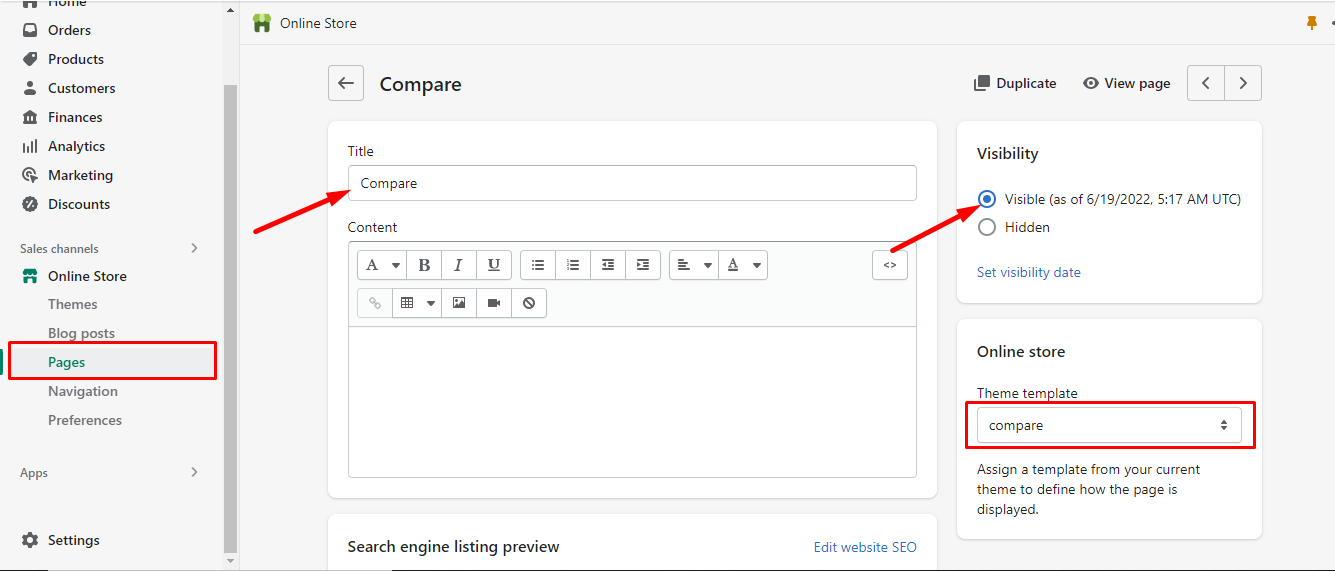
- Click Pages.
- Click Add page.
- Enter the title “Compare“
- Select a template “compare“. To get a Compare template from the “Respective” Shopify Theme, you must first publish the theme.
- Select Visibility, “Visible“
You can complete the steps following the screenshots: #
From your Shopify admin, click on sales channels #
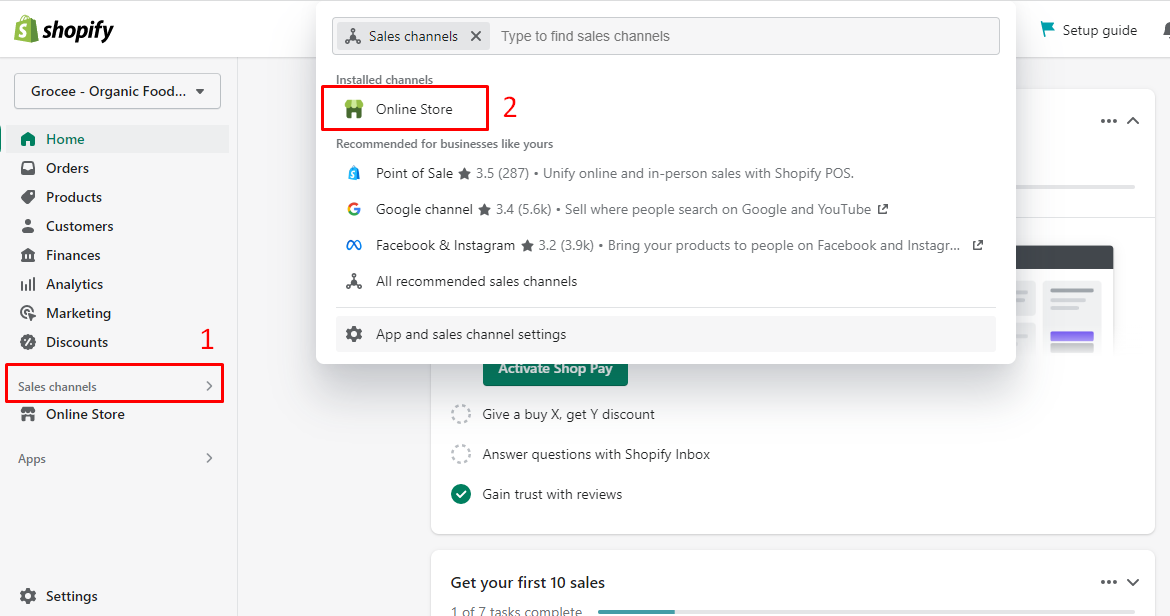
From the sales channels page, click Online store #
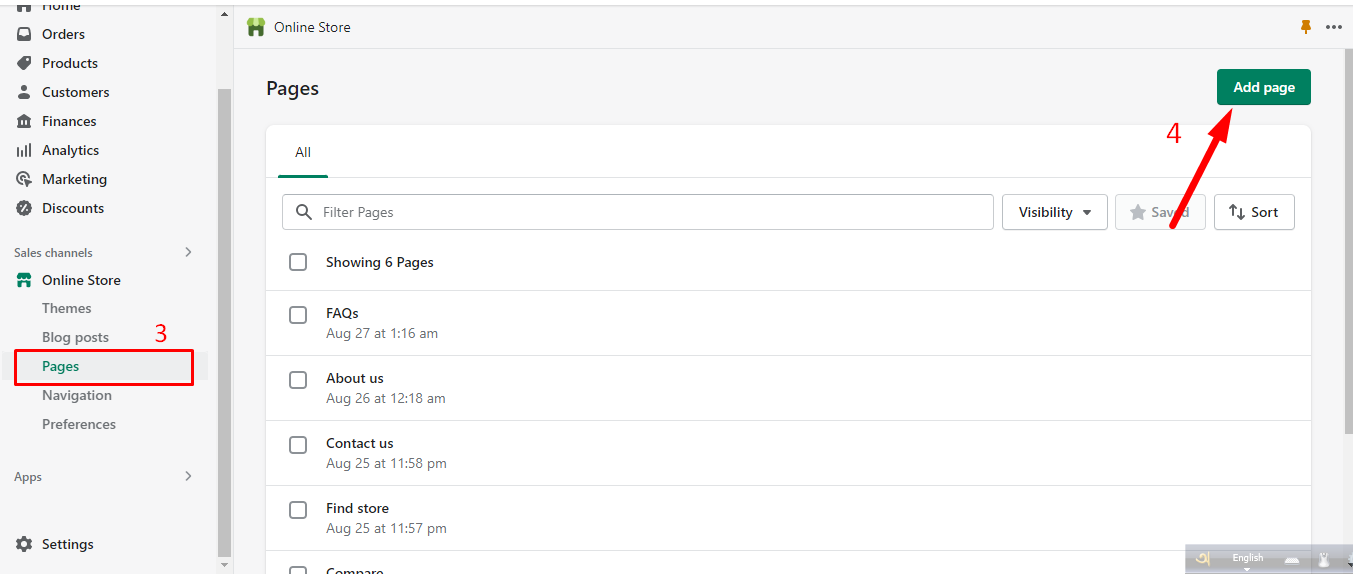
Add compare page #